Furrow documentation
The farm shop theme that knows what day it is
Furrow is a theme for Shopify’s Online Store, made for farm shops and everyone who sells food they grew, made or chose themselves and welcomes people in. It says whether you’re open, dresses itself for the season, keeps the year’s dates and lets customers fill a hamper.
These pages show you how to set it up yourself, from the day you add it to the day you open, in the words you’ll see in Shopify.

Last day to order for Christmas delivery
Three presets
Three kinds of food business, three starting points
A preset is the same theme with its own colors, fonts, page layouts and sample words. Choose the one closest to your business when you add Furrow; you can change anything afterward. Each has a demo store to look around, linked from Furrow’s page in the Theme Store.
-
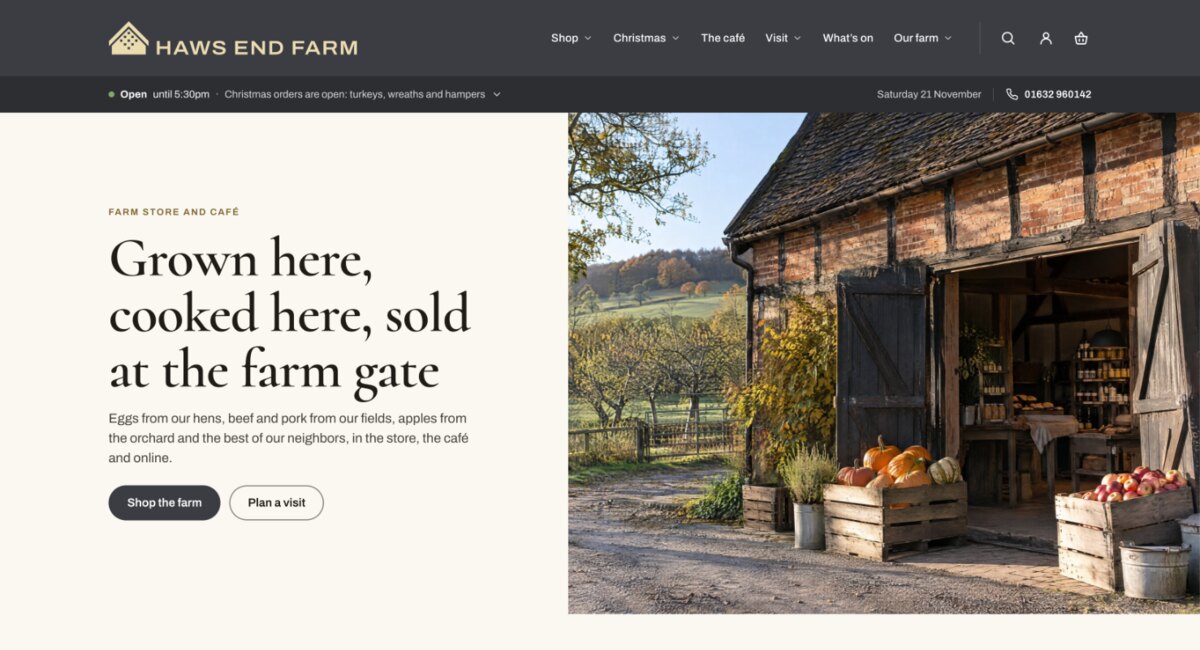
Furrow
For the farm shop with a café: the shop, the café, the visit, what’s on and the seasons. Paper, slate and gold, with engraved drawings.
Cormorant and Archivo
-
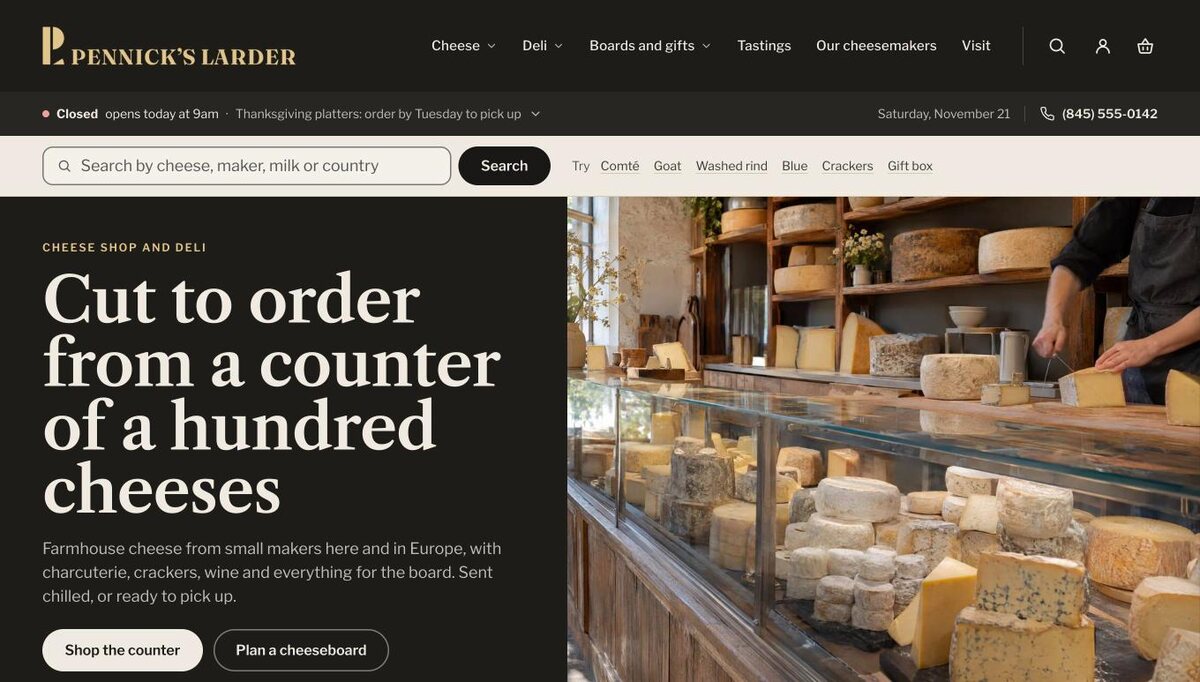
Larder
For the cheese shop and deli: a counter online, with many cheeses and everything to go with them. A denser grid and an ink and bone palette.
Libre Caslon Text and Libre Franklin
-
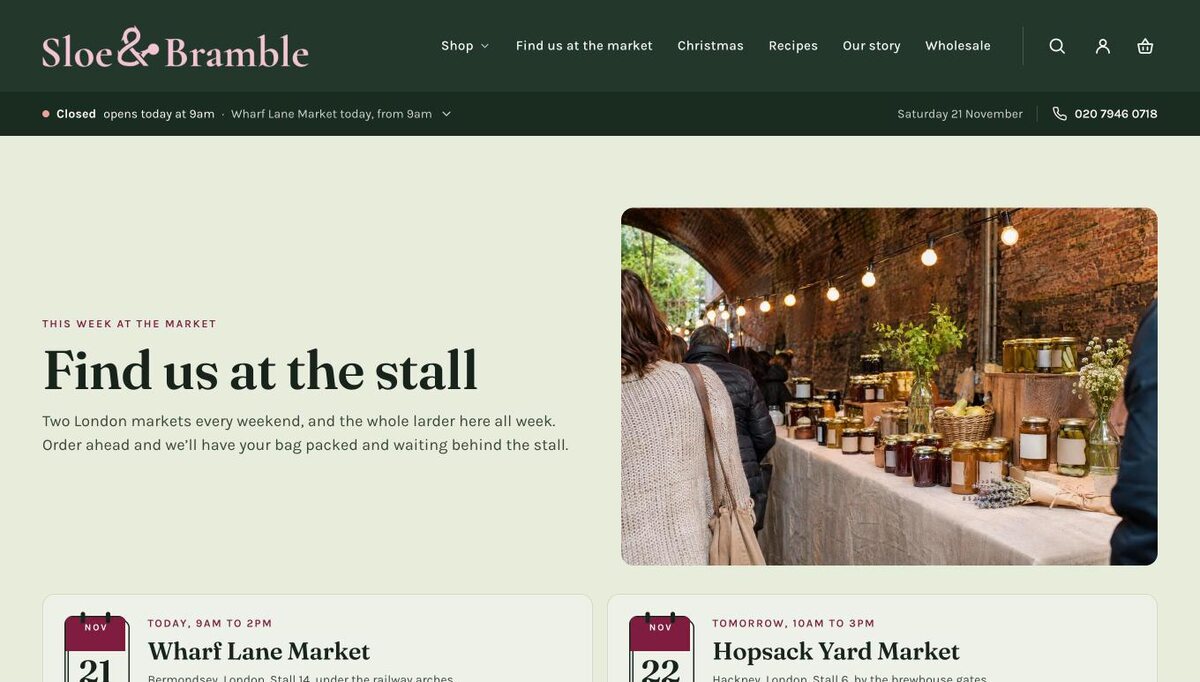
Hedgerow
For the market producer who sells at farmers’ and food markets and online: where the stall is this week leads every page.
Fraunces and Karla
What each preset expects: the pages, collections and menus to copy its demo store’s shape.
What it does
Everything a farm shop adds apps for, built in
No apps to install and no monthly fees for the things that make a farm shop different. Each is set up in the theme editor, and each has a guide.
-
Today, live
Open or closed, until when, the café’s serving times and today’s market, under the header on every page, right to the minute in your own time zone.
-

The seasons
Christmas, Easter, summer and harvest dress the store by themselves on their dates.
-

Build a hamper
Choose a basket, fill it, write the card: each thing drawn standing in it as it goes in.
-

The board planner
Say how many are coming, and a board is laid with enough for everyone.
-
What’s on
Markets, workshops and open days, entered once, each date drawn as a calendar page.
-
Order-by dates
The last day to order, on the product page and in the cart, so nobody misses Christmas.
-

Pickup days
Order ahead and pick up at the market stall, with the time left to order.
-


Engraved drawings
For the things farm shops sell, so a new store looks finished before the photographs.
-
Sizes drawn to scale
Each size shown at its weight, with how many it serves, and the facts a shopper asks about from the product’s own fields.
-
Workshops and tastings
A page for each experience: what to bring, how long, who for, and its dates to choose from, with the full ones marked.
-
Found in search and in answers
Your shop, hours and closures, every product, recipe, event and question described for search engines and answer engines, from what you already keep.

See everything Furrow does, with the today strip, the seasons and the logos working on the page.
Where to start
From adding Furrow to opening the doors
Your first day
The settings, pages, menus, pickup and delivery, in the order that saves going back. A morning’s work.
Setting up for Christmas
Christmas hours, order-by dates, hampers, turkeys and gift cards, set once in the autumn.
Every section and setting
All 69 sections and every theme setting, made from the theme’s own code.
Support
Stuck? Ask the people who made it.
Tell us your store’s address and what happened, add a screenshot, and we reply within two business days. Anything stopping customers from buying, we start on at once.