What Furrow does
A theme that runs the shop with you
Furrow says whether you’re open, dresses itself for the season, keeps the year’s dates, and lets shoppers fill a hamper or plan a cheeseboard themselves. Everything on this page is in the theme: nothing to install, and no app to rent.
Today and the year
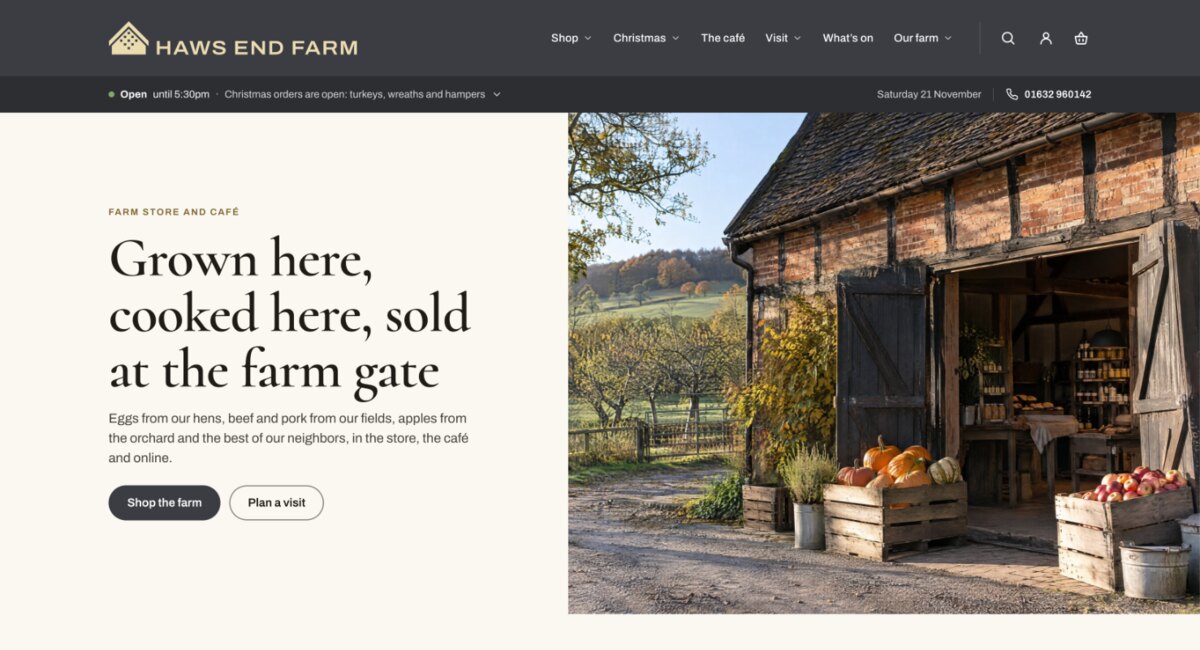
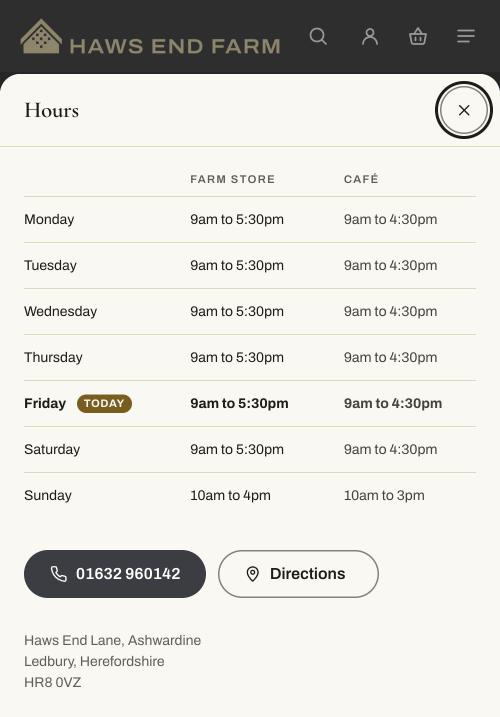
It knows what day it is. Your hours, the season and the dates that matter are right on the day, without you touching the store.
-
Open until 5:30pmCafé until 4:30pm
With sample hours: 9am to 5:30pm, Sunday 10am to 4pm, the café from 9:30am to 4:30pm.
Today, live
A line under the header says whether you’re open and until when, with the café or kitchen beside it. In the last 45 minutes it says you’re closing soon; once you’ve closed, it says when you open next. It updates in each visitor’s browser, in your store’s own time zone, so a page saved an hour ago is still right.
-
Christmas
Christmas with us
Turkeys, wreaths and hampers, and everything for the table.
A store that follows the year
Set up to eight seasons, each with its dates, an accent color, an engraved drawing, a line and a collection to lead with. On a season’s first day the store changes by itself, and between seasons it says what’s coming next.
-
5days left to order for Christmas, until December 17
Order-by dates
The last day to order, on the product page, in the cart and on the season band for the six weeks before, so nobody misses Christmas.
-
What’s on
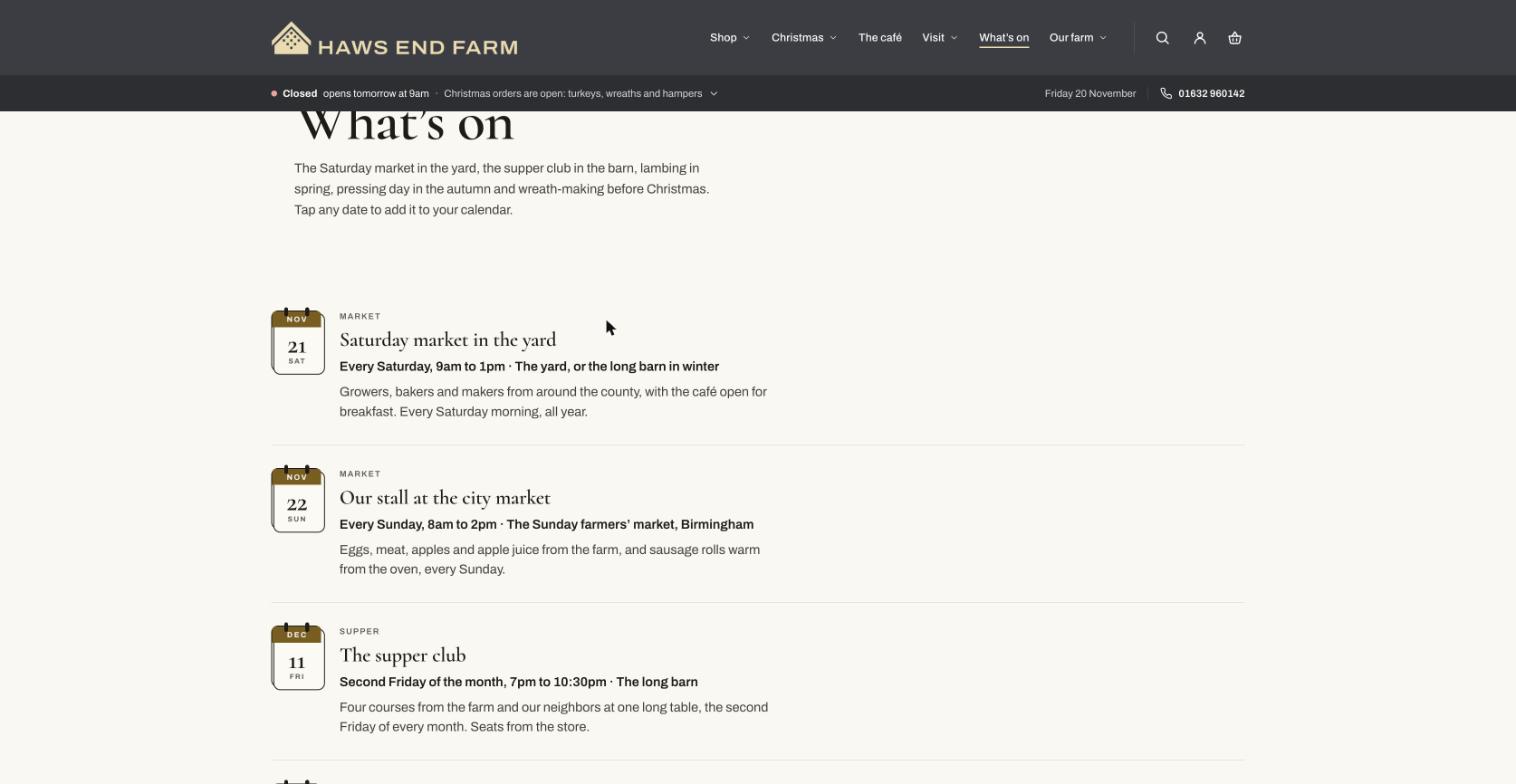
Markets, tastings and open days, entered once, repeating weekly or monthly, each date drawn as a page from a desk calendar.
-
Pickup days
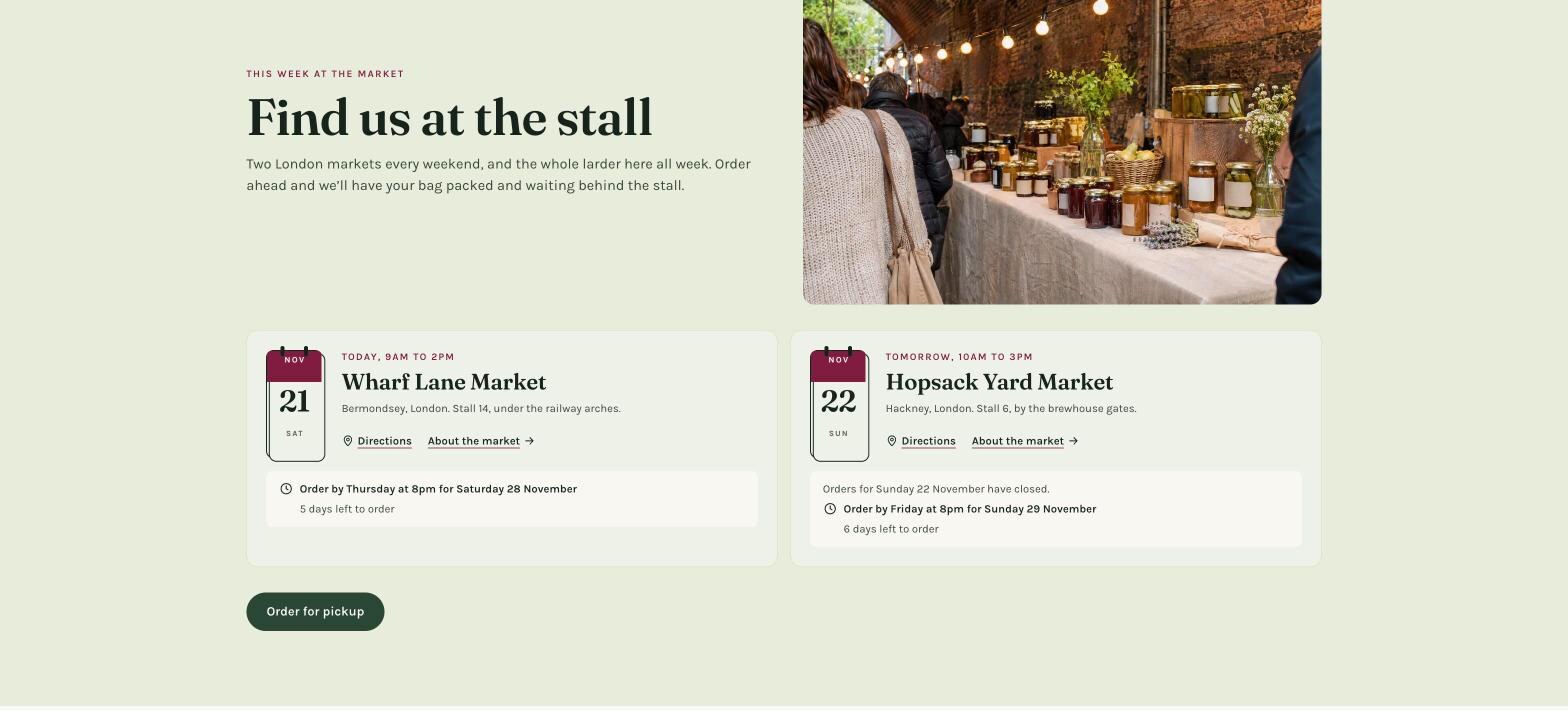
Order ahead and pick up on a set day, at the market stall or the farm gate: each place shows its next date and how long is left to order.
-
What’s ready to pick
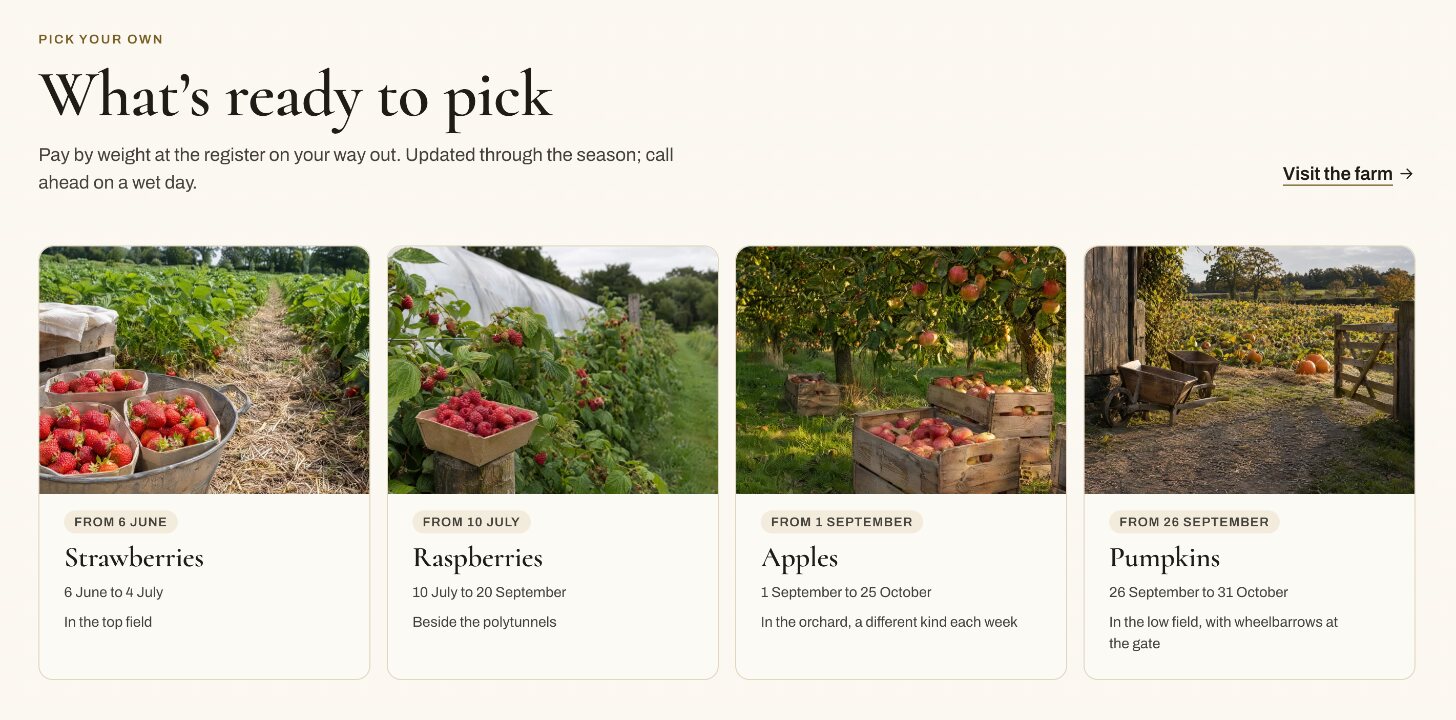
A card for each crop, with its weeks, that says by itself whether it’s ready, nearly over or coming. Ready ones come first and then the next few to come, so even in winter it says when the first crop is back. There’s a section for this week’s veg box too: what’s in it, where it grew and the box to order.
- StrawberriesFrom June 6
- RaspberriesFrom July 10
- ApplesFrom September 1
- PumpkinsFrom September 26
Selling
It sells the way a farm shop sells. By the hamper, by the wedge and by the date of the workshop.
-
8 of 8 spaces left

Wicker hamper, room for 8 things$20.00
Put something in. Press it in the hamper to take it out.
Build a hamper
Shoppers choose a basket or box, then fill it. Each thing they add is drawn standing in the hamper, larger things take two or three spaces, and the hamper says when it’s full. They can start from one of yours or name a budget, then write the card and add it to the cart as one hamper. Try it here: this one is a small model of the real builder.
-
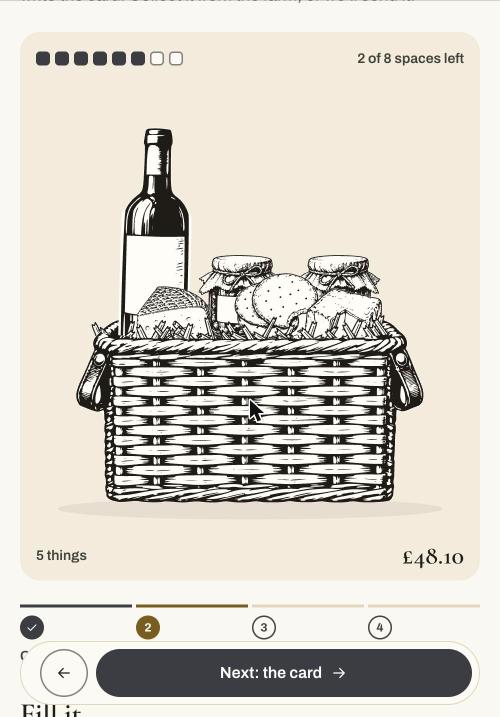
The real one, on a phone
On a phone the hamper is drawn at the top of the screen, and once it scrolls away a bar at the foot keeps the total and the next step within reach.
-
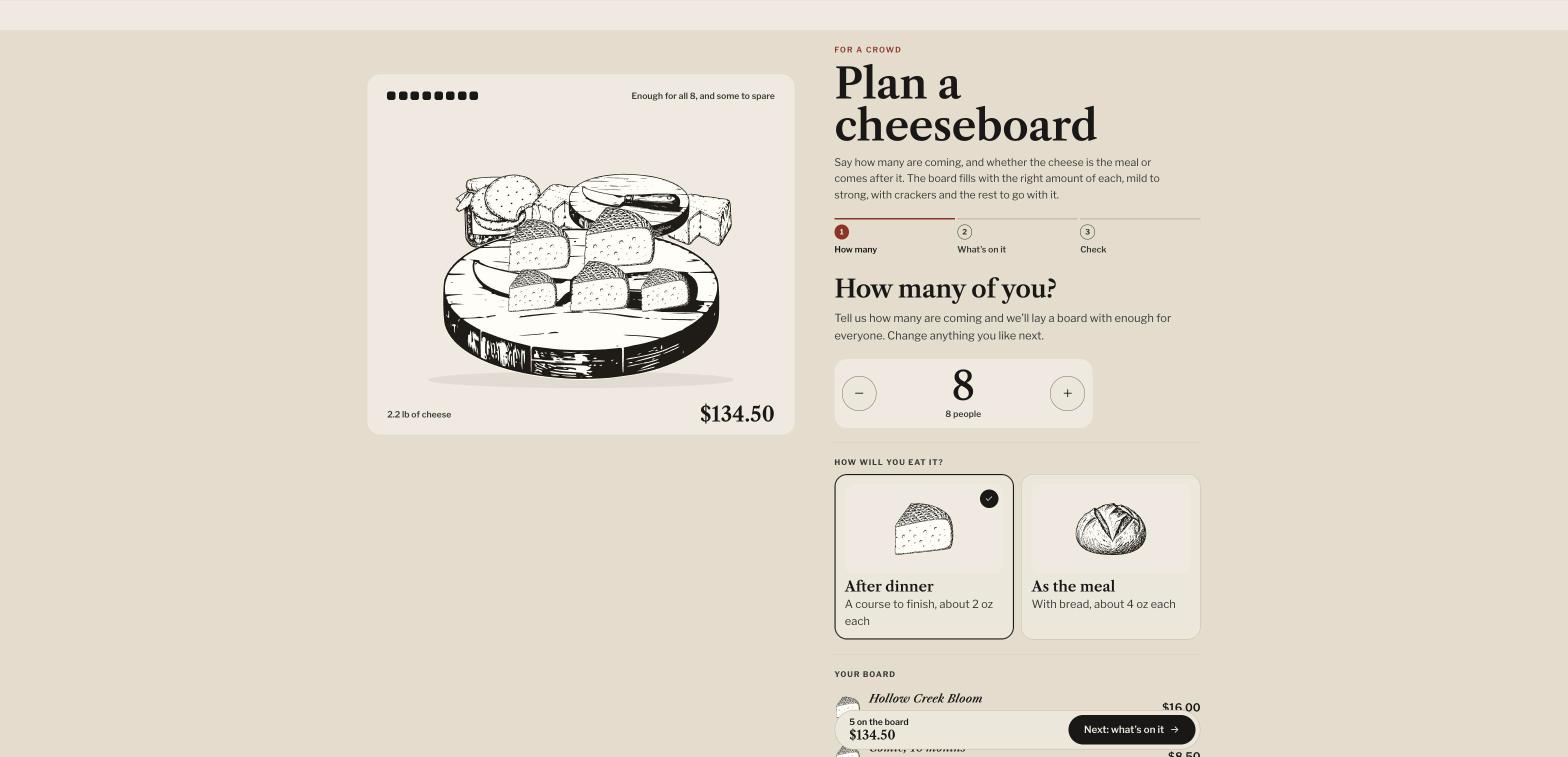
The board planner
Shoppers say how many are coming and how they’ll eat. The board lays itself with enough of each kind for that many people, from each product’s weight in Shopify, and they change what they like.
-
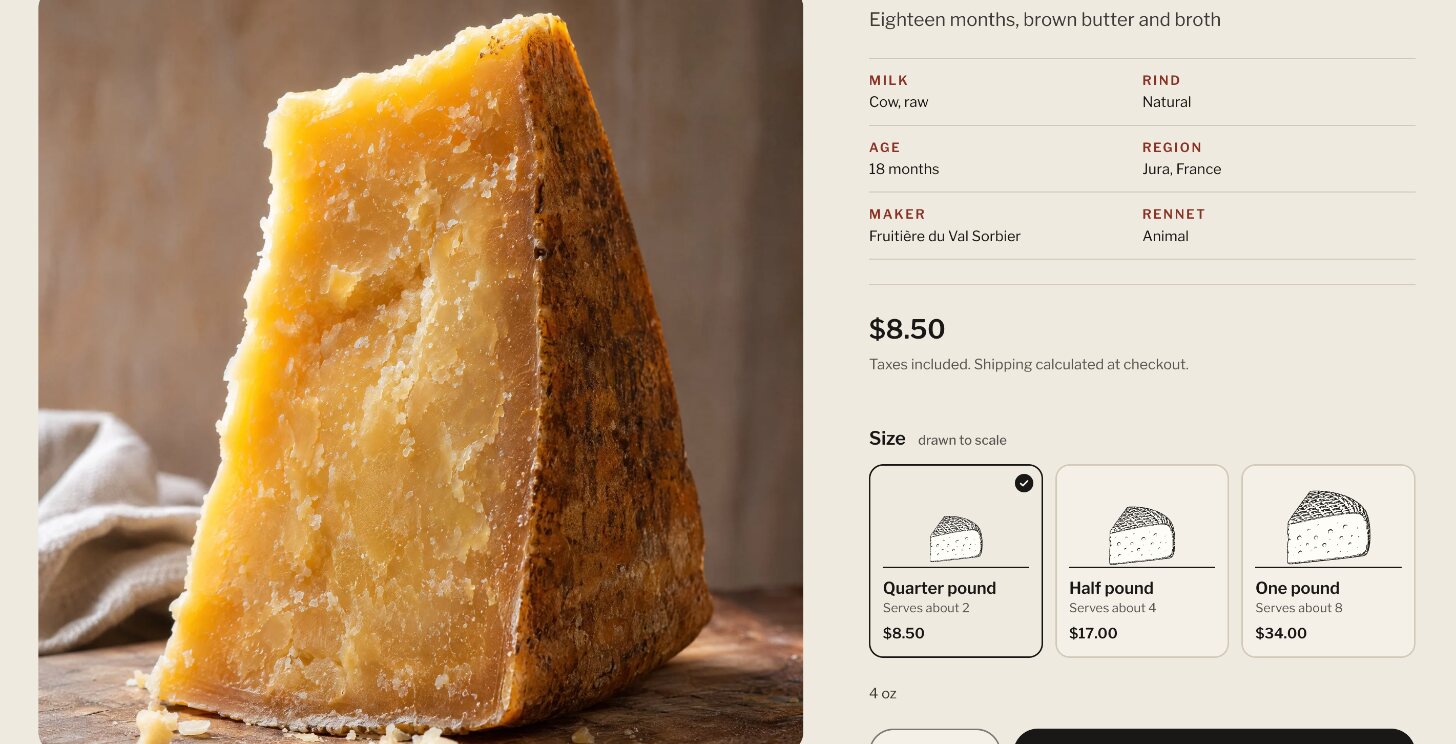
Sizes drawn to scale
Each size drawn at its weight beside the others, with how many it serves, above the facts a shopper asks about: milk, age, maker, region. All of it comes from the product’s own fields, and every part is a block you can move or hide.
-
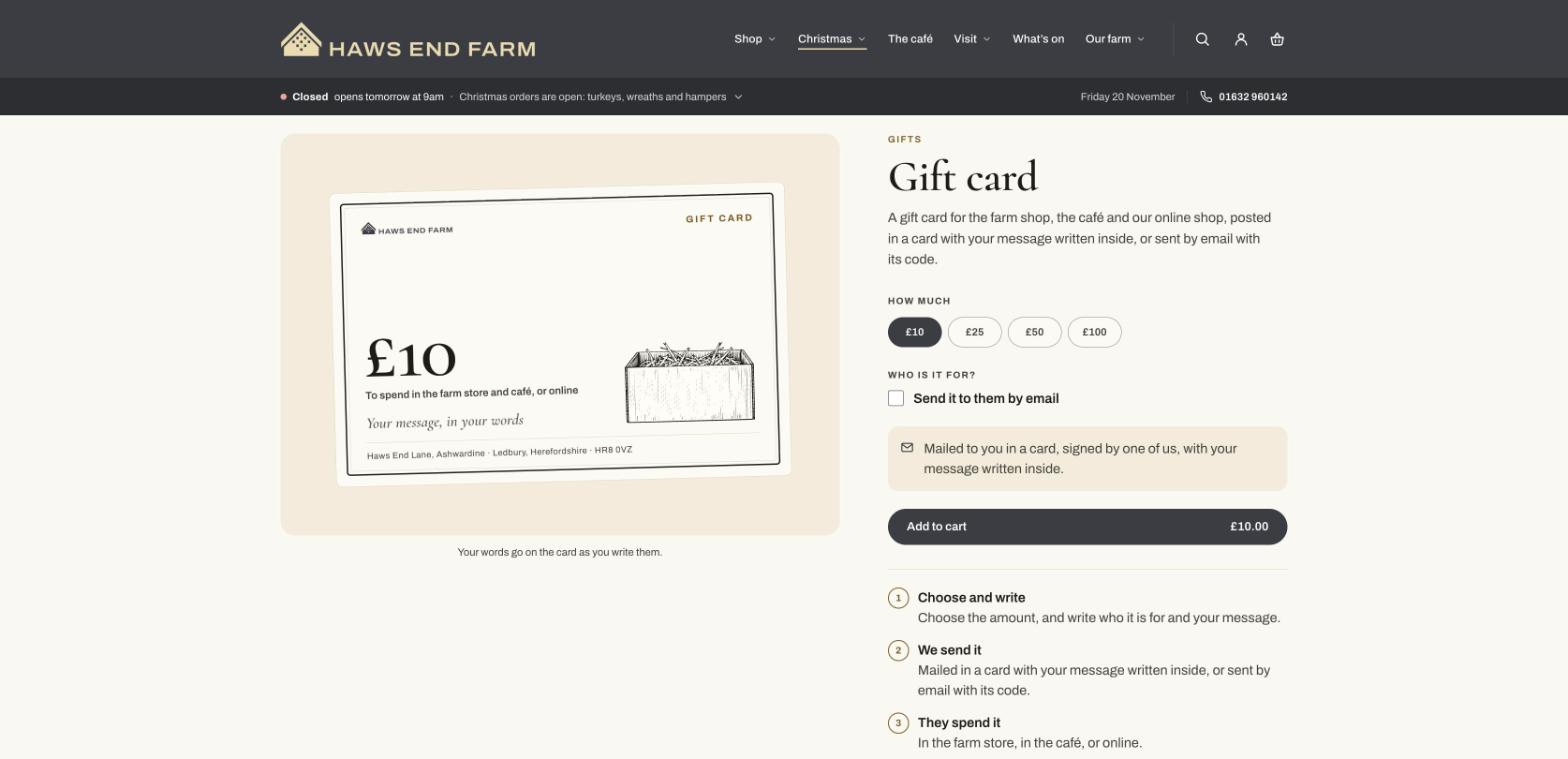
Gift cards that look printed
The card is shown as it will arrive, filled in as the shopper writes, and sent by email on a day they choose.
-
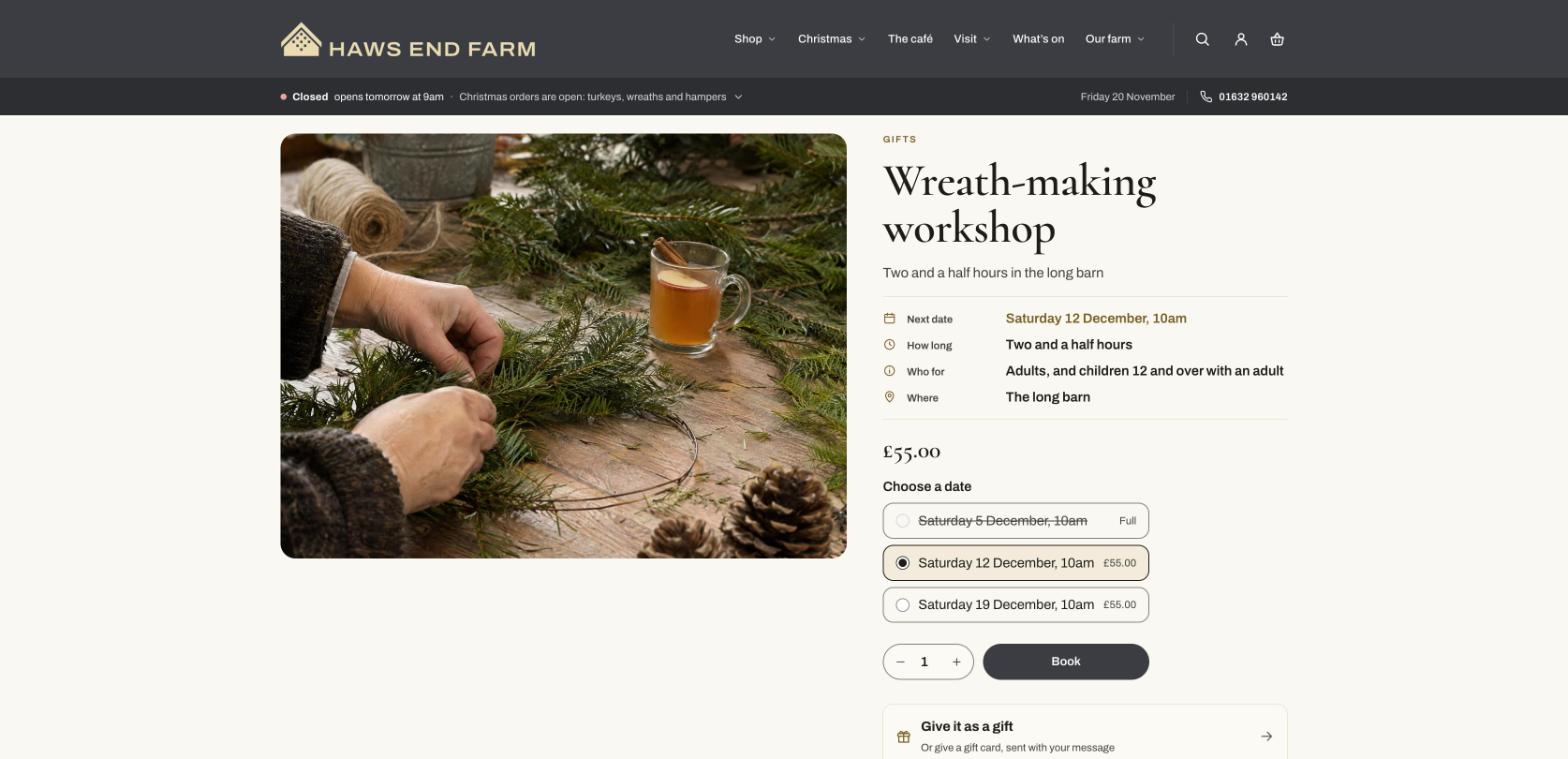
Workshops and tastings
A page for each experience, with the facts at a glance, the day hour by hour and its dates to choose from, the full ones marked.
-
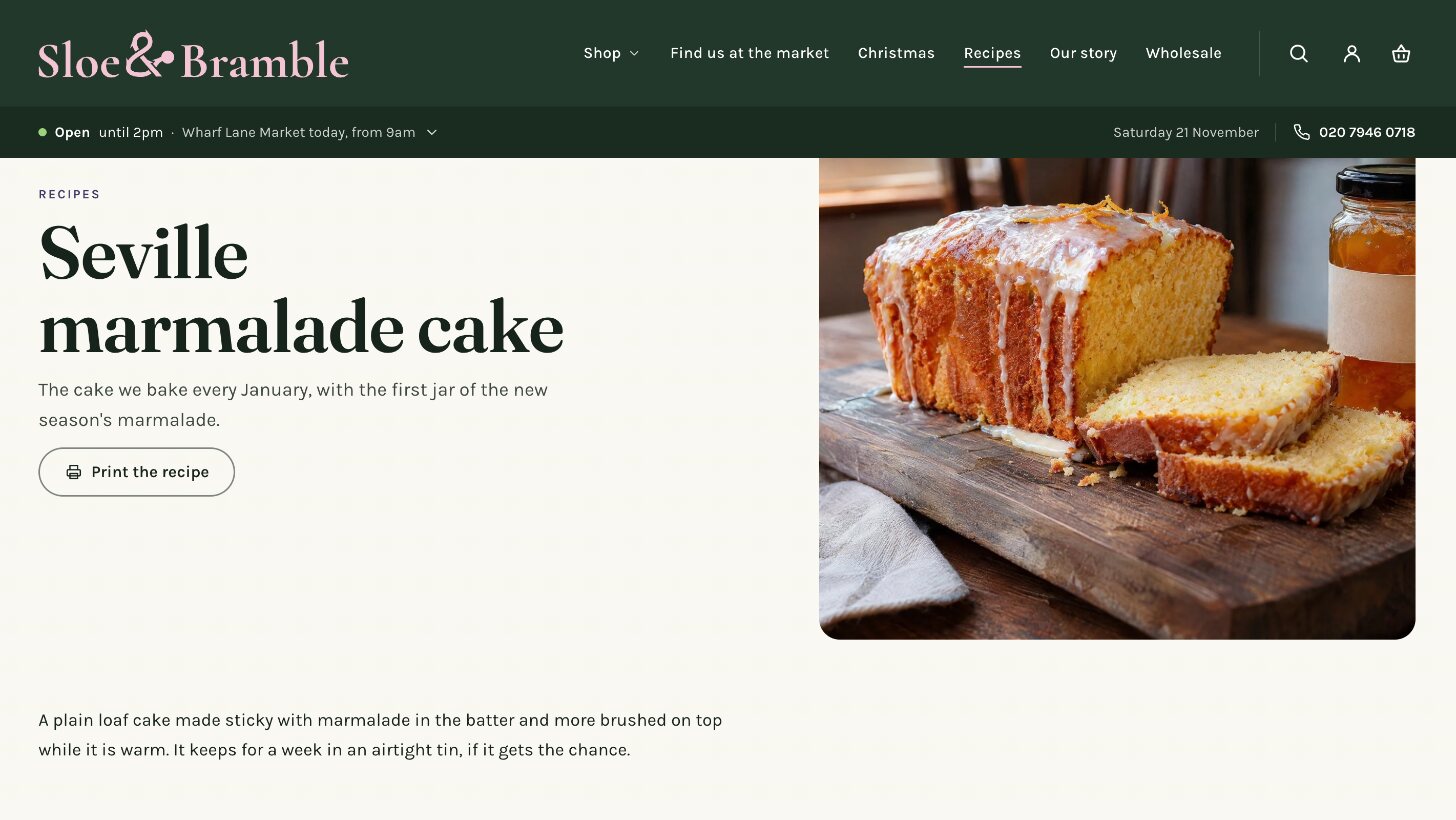
Recipes that sell what’s in them
Posts laid out as recipes, with servings, times, ingredients and method, a button to print, and the products to buy beneath.
- A cart that helps. A drawer or a page, with undo, a gift message, a delivery estimate, the next order-by date and things that go well with what’s in it. Hampers and boards stay together as one.
- Quick add. A “+” on each product card adds it in one tap, or opens a chooser when there’s a size to choose.
- Product pages in blocks. Awards drawn as rosettes, servings, pickup availability, subscriptions and unit prices, each a block, and a Featured product section for any page.
Visiting
It welcomes people in. A farm shop is a place. Furrow shows the way there, what’s on the menu and where else to buy.
-
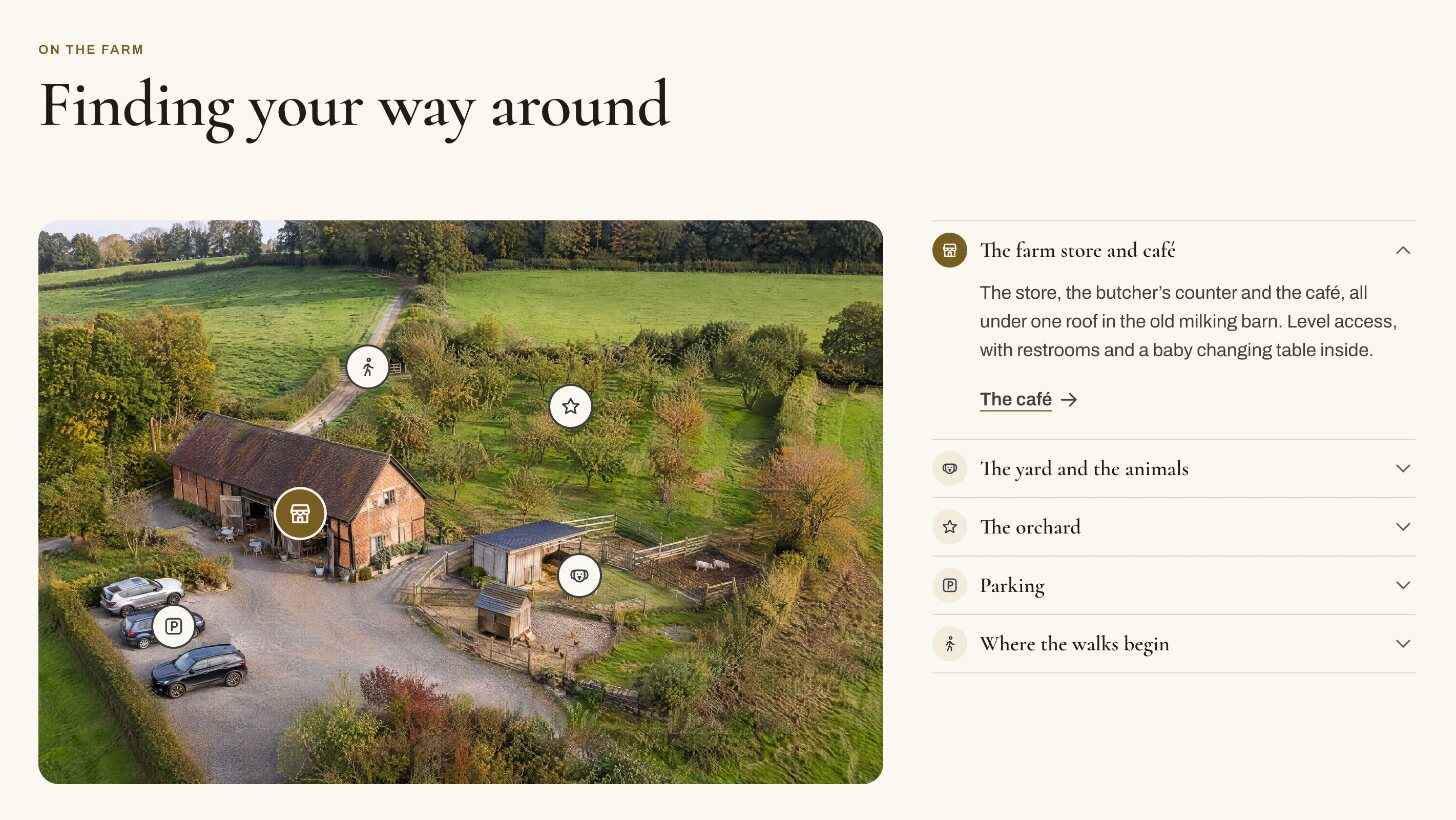
Come and visit
Upload a plan or a photograph of your place and pin what’s on it, each pin with a few words and a link, all of it described in words for screen readers. Getting here by car, bus, bike and on foot; walks with distance, time and a file for walking apps.
-
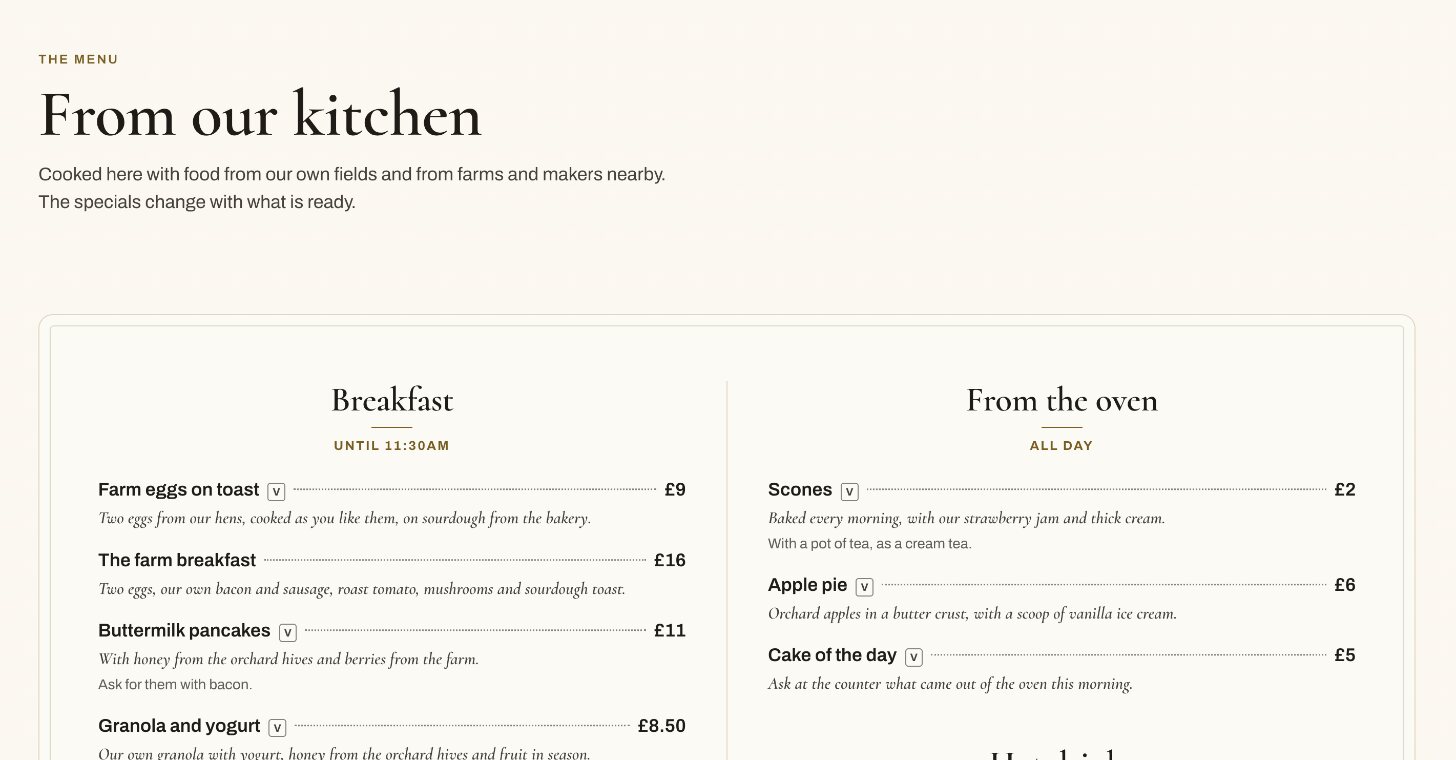
The café’s menu
Set like the printed one on your tables: parts of the menu with their dishes, a dotted line to each price, marks for vegetarian and the rest with their key. It prints on its own, and a Book a table button opens your booking page.
-
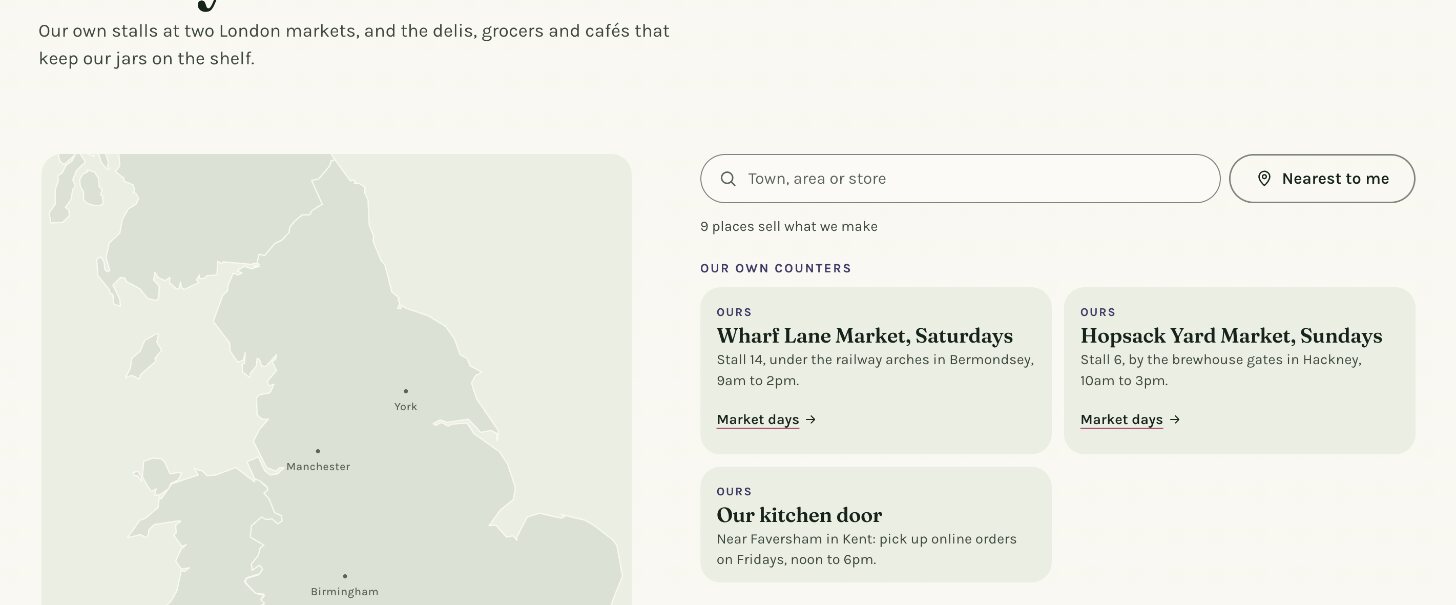
Where to buy
The shops that sell what you make, on a drawn map of England and Wales or your own map, with a finder by name or town, or the nearest first.
-
The people behind it
Your neighbors and suppliers with how far away they are, your story year by year with a photograph for each chapter, an awards roll, jobs that hide after their closing date, and your questions with your answers.


The look
It looks finished on day one. Three presets, engraved drawings of the things you sell, and your own colors and type everywhere, down to the cookie banner.
-
Haws End Farm. The barn is raised and its air holes open.
Pennick’s Larder. The knife comes down and the wheel is cut.
Sloe & Bramble. The bramble grows and its sloe swells.
A logo that moves
Paste your logo’s .svg code and the header draws it in place of the image, sharp at any size. Drawn, its parts can move: once when a visitor arrives, and again when they point at it. Each demo store’s logo does. Point at one, or play all three again.
-
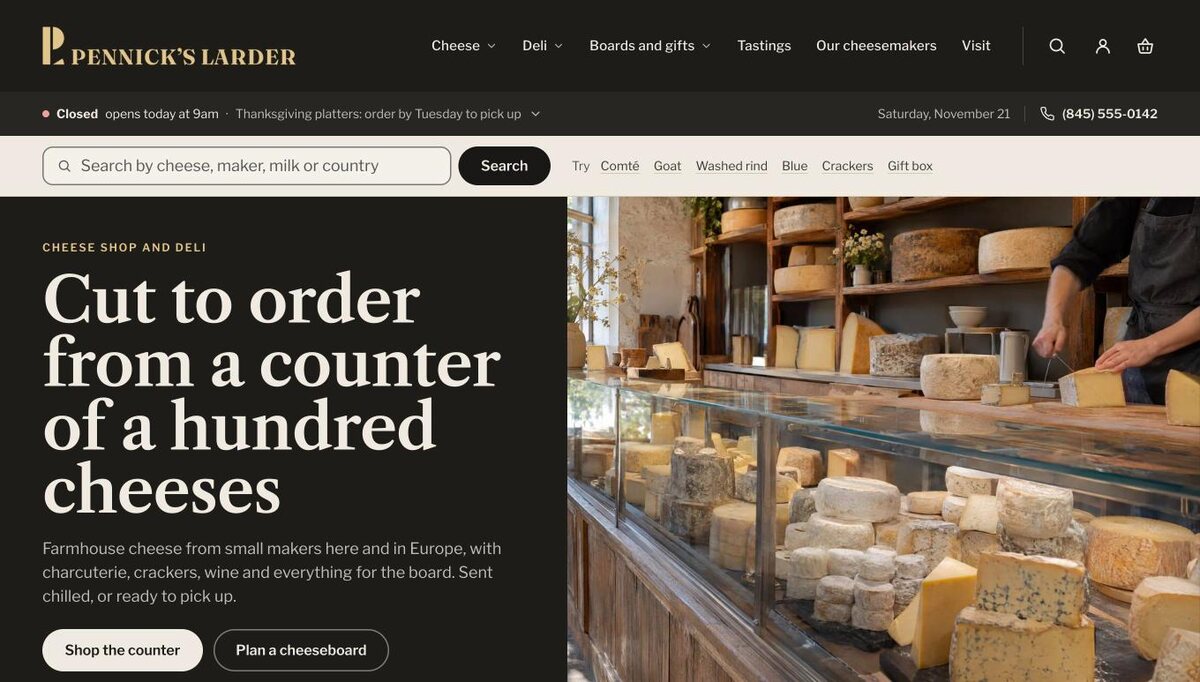
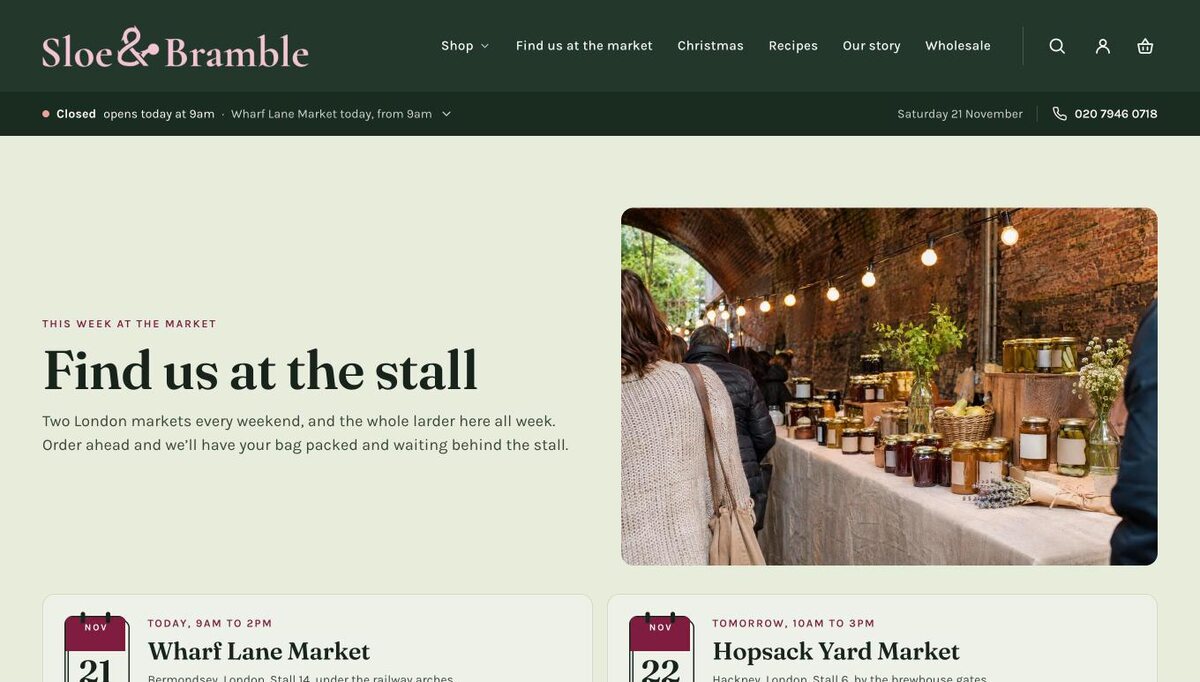
Three presets, one theme
Furrow, for the farm shop with a café: the shop, the café, the visit, what’s on and the seasons. Paper, slate and gold, in Cormorant and Archivo.
-
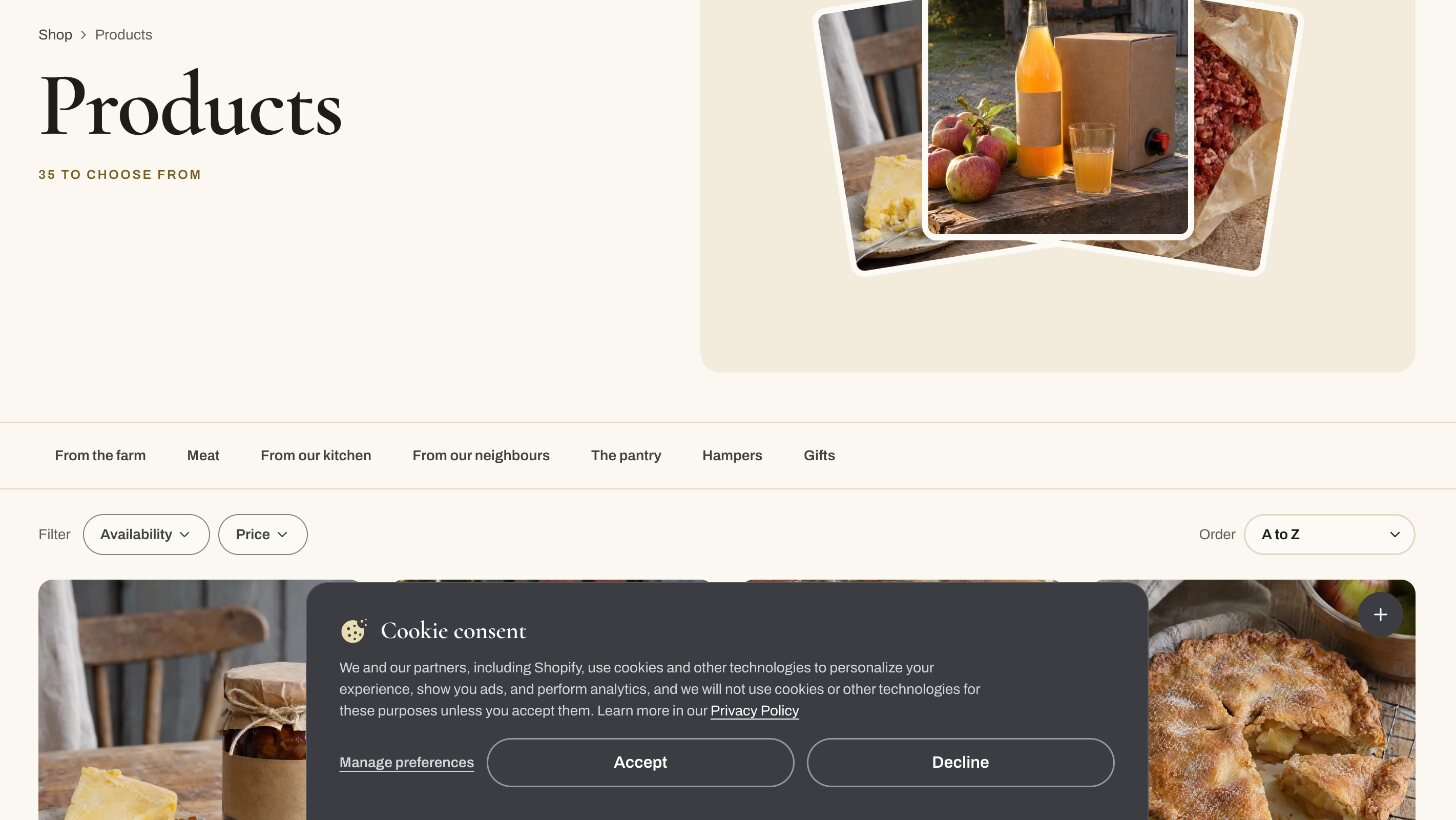
Yours, down to the cookie banner
Four color schemes and two fonts carry through every section. Even Shopify’s cookie banner and its preferences window wear your colors, type and buttons, with Accept and Decline kept equal.
-
Engraved drawings
Drawings of the things farm shops sell and the seasons they sell them in, 22 in all, engraved so a new store looks finished before the photographs arrive. The hamper builder and the board planner draw each product by its type. Point at the row to stop it.


How it’s built
Made properly, all the way down. What you don’t see is built with the same care as what you do.
- 69sections, each built from blocks you can move
- 22engraved drawings, used across the store
- 3presets, each with its own demo store
- 8seasons you can set, each with its dates
- 0apps to install for any of it
Nothing to install
Hours, seasons, order-by dates, the hamper builder and the board planner are all in the theme. No apps, and no monthly fees for any of it.
Set up in the theme editor
Every feature is a section or a setting, in plain words: 69 sections in all, with blocks you can move, hide or remove.
Ready on a new store
Furrow uses only Shopify’s standard fields and its own settings, so it works on a store with nothing set up yet.
Light on its feet
Plain HTML and CSS with small scripts, and no framework to download. Every picture is served at the size of the screen it’s on.
Quick between pages
A page starts loading when a pointer rests on its link, and one page fades into the next with the header held in place.
Keyboard and screen reader
Every control has a name and a clear focus ring, every page one main heading and a way to skip to the content, every map its words.
Colors checked
Every pair of text and background colors in every preset is measured for contrast, so text stays easy to read.
Calm
No pop-ups on arrival and no slideshows. What moves is gentle, and stops for anyone whose device asks for less motion.
Found in search and in answers
Your shop, hours and closures, every product, recipe, event and question, described for search engines and answer engines.
Shopify’s own features
Shop Pay and accelerated checkout, pickup availability, subscriptions, unit prices, gift card recipients, Follow on Shop and customer accounts.
Menus, search and filters
Full-width menu panels with a photograph, predictive search, and filters and sorting on collections and search.
Dates and direction
Dates month first or day first, British words for British shops, and layouts that read right to left for Arabic, Hebrew and Urdu.
Documented
A guide for each feature and a reference for every section and setting, made from the theme’s own code so it’s never out of date.
Checked every time
More than a hundred automated checks, Shopify’s own Theme Check and a contrast check are run before any change to the theme is kept.
Supported
Ask the people who made it. We reply within two business days, and start at once on anything stopping customers from buying.
What Furrow doesn’t do
Furrow shows your hours, dates and cut-offs; it doesn’t book tables or reserve pickup and delivery days. Shoppers choose pickup or delivery at Shopify’s checkout, a table is booked through your own booking page, and a workshop’s places are sold as each date’s stock. It has no wishlists, loyalty points or reviews of its own: add your reviews app’s block to the Reviews section. Its words come in English, and you can change any of them in Shopify.
Next
See how a morning’s setup goes
Your first day walks through the settings, pages and menus in the order that saves going back. Or ask us anything before you choose.